Top Hotspot Devices And Data Plans Explained
Choosing a hotspot is really two decisions: the device you’ll carry and the data plan policies you’ll live with. This article explains top hotspot devices (including popular Inseego, Netgear, and carrier-branded options) and breaks down what “unlimited” commonly includes—like deprioritization, hotspot data thresholds, and device-connection limits. You’ll also get a quick comparison table of what to check (coverage, consistency, hotspot allowance, and connected devices), plus practical setup tips to improve real-world performance.
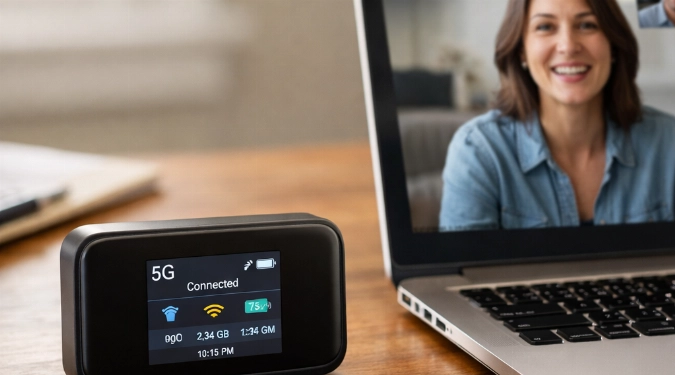
Hotspot shopping gets confusing fast: the device, the carrier, the fine print, and what “unlimited” really means. Below is a clear, practical breakdown of top hotspot devices and the data plans that power them—so you can match speed, coverage, and limits to how you actually use Wi‑Fi.
What A Hotspot Device Does And What “Unlimited” Usually Means
A hotspot device (or a phone’s hotspot feature) turns cellular signal into Wi‑Fi for laptops, tablets, TVs, and more. Marketing phrases like Unlimited Internet often mean unlimited access, but not always unlimited high-speed data: many plans prioritize traffic after a certain threshold, reduce video quality, or slow speeds during congestion.
When comparing Unlimited Internet Plans, focus on three practical limits: deprioritization (slower only when the network is busy), hard throttles after a set amount of hotspot data, and device caps (how many gadgets can connect). That’s the real difference between frustration and reliable everyday use.
Top Hotspot Devices Worth Knowing
Inseego MiFi X Pro 5G
This is a premium 5G hotspot class device that’s built for frequent use: strong radios, modern Wi‑Fi standards, and a battery designed for hours away from an outlet. It’s a good fit if you’re trying to approximate home internet on the go and want a 5g Hotspot Unlimited Data plan that can keep up (noting that plan policies still control actual “unlimited” behavior).
Netgear Nighthawk M6 And M6 Pro
Netgear’s Nighthawk line is widely recognized for higher-end hotspot performance and features like Ethernet (on some versions) for plugging into a router or laptop dock setup. It’s a solid pick when you want a hotspot to act like a mini-modem for travel, temporary housing, or a small office.
T-Mobile Inseego MiFi M2000
A common choice for people who want a dedicated hotspot with simple operation and strong 5G support in many metros. It’s often used for remote work, streaming, and backup internet when home broadband drops.
Verizon Orbic Speed 5G UW
This device is designed around Verizon’s faster 5G footprint where available and is typically positioned as a straightforward, carrier-aligned option. If your priority is predictable compatibility with a specific carrier, carrier-branded hotspots can reduce setup friction.
Data Plan Types That Pair With Hotspots
Most people end up choosing between a smartphone hotspot add-on, a dedicated hotspot plan, or a router-style cellular plan. If you truly need an Unlimited Wireless Internet Hotspot experience, dedicated plans often provide clearer hotspot allowances than phone plans—yet they may still include prioritization rules and streaming limits.
Also watch the difference between Unlimited Internet Data for on-device use (the hotspot itself) versus “mobile hotspot data” buckets. Some carriers treat tethering data more strictly than data used directly on a phone.
Comparing What Matters Most
| Decision Point | What To Check | Why It Matters |
|---|---|---|
| Coverage | Carrier map for your ZIP codes; indoor performance | A great device cannot fix weak signal |
| Speed Consistency | Deprioritization language; congestion notes | Impacts video calls and uploads at peak hours |
| Hotspot Allowance | High-speed hotspot GB before slowdowns | Determines whether it can replace home internet |
| Devices Connected | Max Wi‑Fi clients; dual-band support | Key for families, roommates, or multi-device work |
How To Choose Between Unlimited Plans Without Guesswork
Start by naming your primary use case: backup internet, full-time remote work, travel streaming, or connecting multiple people. Then estimate monthly usage. “Unlimited” is less important than whether the plan stays usable after heavy consumption—this is where Unlimited Data Plans differ in real life.
If you plan to replace cable/DSL for a while, look for plans that advertise larger hotspot allowances and fewer restrictions, including some Unlimited Data Mobile Plans marketed for hotspots or home-internet-style use. If you mainly need occasional laptop connectivity, a phone plan with hotspot may be enough.
Typical Cost Ranges And What Drives Them
Dedicated hotspot devices commonly range from roughly one hundred to several hundred, depending on 4G vs 5G, Wi‑Fi generation, and extra ports. Monthly service varies widely based on priority level, hotspot buckets, and whether a device payment is bundled. Comparing plan details side-by-side is usually more valuable than chasing a “deal,” because restrictions are what change the experience.
Practical Setup Tips For Better Performance
- Place the hotspot near a window or higher shelf to improve signal stability.
- Use the 5 GHz Wi‑Fi band for nearby devices; switch to 2.4 GHz for longer range.
- If you need broader coverage, connect the hotspot to a travel router to create more consistent Unlimited Wi-Fi Hotspots around a room or RV.
These steps help you get closer to the experience people expect when they hear Unlimited Wifi, even though performance still depends on local network conditions.
FAQ
Is “Unlimited” Actually Unlimited On Hotspot Plans?
It often means unlimited access, but speeds may slow during congestion or after a high-speed threshold. Read the plan’s network management and hotspot clauses to understand what happens after heavy use.
Can I Use A Hotspot As Home Internet?
It can work for many households, especially for remote work and streaming, but results depend on signal strength, congestion, and how the carrier handles heavy usage. A dedicated hotspot device plus the right Unlimited Mobile Plans structure typically performs better than relying only on a phone.
Do I Need 5G For A Good Experience?
Not always. Strong 4G LTE can be very usable for video calls and HD streaming. 5G may help with peak speeds and capacity, but coverage and plan policies still matter more than the badge on the box.
Conclusion
The “top” hotspot setup is the one where the device matches your coverage and the plan’s fine print matches your usage. Compare a few proven devices (like Inseego and Netgear models), then choose a plan based on hotspot allowance, congestion rules, and how many devices you need connected—so your hotspot feels reliable day after day.
Disclaimer: The information provided in this article is for educational and informational purposes only. It does not constitute professional advice. Readers should conduct their own research and consult with qualified professionals before making any decisions.